Redesigning Employment Hero's content discovery with AI

Employment Hero's Resources Hub was critical for sales enablement and user education, serving thousands of businesses, job seekers, employees, and partners. As our content library grew to include guides, events, videos, and tools across multiple audiences, the original blog-centric structure couldn't keep up.

Over time, the page became a dumping ground โ€” every new content type and user segment was added ad-hoc, creating a long, overwhelming experience with no clear structure or hierarchy.

EH Resources Hub โ€” design exploration

In fast-moving consumer products serving millions of users, the ability to rapidly prototype, test, and iterate with production-quality code is becoming critical to staying competitive.

AI tools enable designers to:

  • Test user journeys quickly through working prototypes.
  • Validate design hypotheses before committing engineering resources.
  • Maintain high iteration velocity to drive growth and retention.
  • Ship improvements independently when engineering is focused elsewhere.

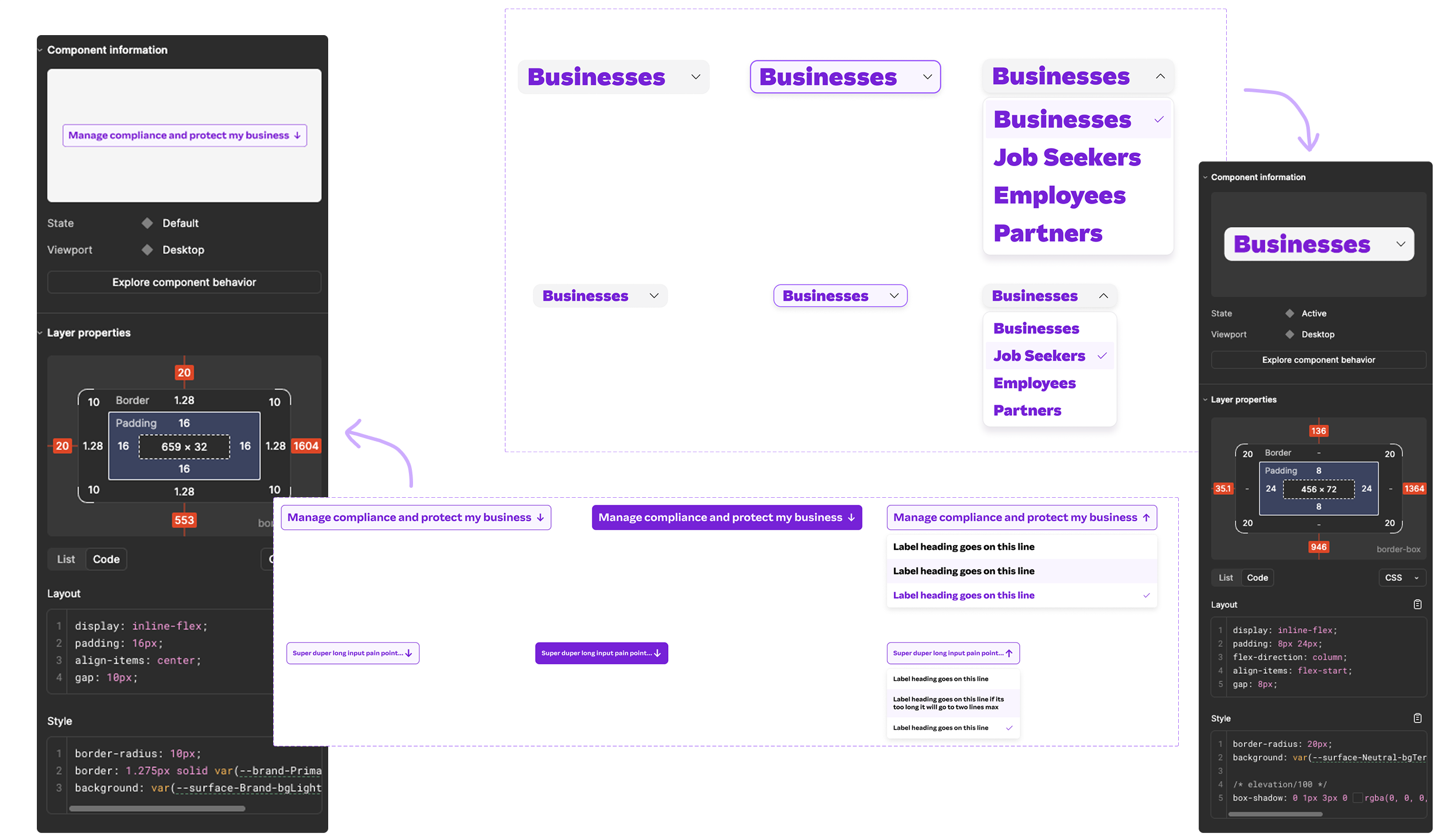
With no extra engineering support, I shipped two production-ready interactive components for the Resources Hub by running a 3-step AI workflow: extracting precise design specs from Figma Dev Mode, generating interaction prototypes in v0 and Figma Make, then using Claude to synthesize everything into WordPress-compatible vanilla JS and HTML. I refined iteratively through conversational prompts until the output matched the design system exactly.

The key insight was that AI works best as a translator between tools, taking inputs from Figma specs, prototype code, and platform constraints simultaneously to close the gap between design intent and final implementation.